
I have three different website statistics packages running on my blog – Google Analytics, Statcounter and Feedburner. I figured it’s about time I wrote a review about how I use each one.
Google Analytics is a completely free service, while Statcounter and Feedburner have free versions with paid-for advanced functionality. I use the free versions of each, and find these more than adequate for my needs as a blogger.
Installation
At this point I should note that my website runs on WordPress using a bespoke template, so that’s my experience of installing these services. All three were equally simple to install – a small copy and paste into the relevant place in the template.
The Google Analytics script goes into the header, the Statcounter script into the footer, and the Feedburner script goes into the part of a WordPress template that handles post-specific information. I never quite worked out why this was the case for Feedburner, but the installation instructions were pretty clear to follow.
Screenshots
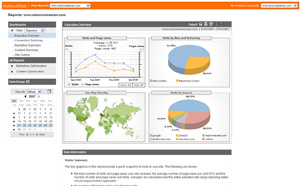
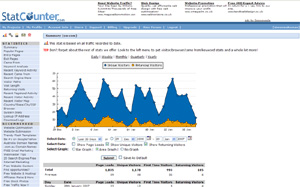
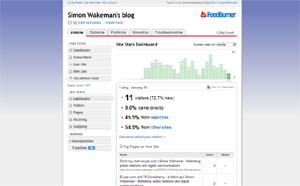
The screenshots below show the “homepage” of each statistics system – the place where basic statistics are presented and from where you can explore further.
Google Analytics:
Statcounter:
Feedburner:
Functionality
In a direct comparison of the range of statistics features available, I’d say Google Analytics appears the most powerful tool. It’s certainly the one I’ve used most to delve into the detail of who’s visiting my site. However this power comes with a price: it’s much more complex to learn to use than Statcounter or Feedburner.
If you’re interested in measuring your site’s conversion performance or tracking different web marketing campaigns, Google Analytics offers a range of bespoke features that allow you to set up and track conversion goals.
For most bloggers though Google Analytics is probably overkill – if you’re like me you probably won’t have the time or inclination to regularly check the detailed reports.
Feedburner presents site statistics very simply, and if you use Feedburner to manage your RSS feeds then you’ll already be familiar with the layout and interface. Feedburner now presents site statistics alongside RSS statistics, which means that if you’re checking your RSS numbers regularly, you can get a quick update on your site visitors in the same place.
However I do find Feedburner’s analysis a bit too simplistic – I like to be able to dig a bit deeper, cut information different ways or compare trends over time. While Feedburner does some of these things, Statcounter does them all.
The beauty of Statcounter is that it’s really quick to check your basic visitor numbers, but it’s equally straightforward to get into the detailed stuff too.
One thing to note: Google Analytics and Statcounter update in real time and allow you to set your timezone – so figures for a particular day are correct for your geographical location. Feedburner doesn’t seem to allow you to localise for your timezone, meaning that days reported aren’t exactly aligned with days in your timezone.
Conclusions
So what’s the best package from the three I’m using? Well, as usual, the answer is “it depends”.
If you’re a marketer interested in sales conversion or web advertising, then Google Analytics is probably for you. If you’re a blogger just wanting a quick insight into visitor numbers then I’d go for Feedburner. If you’re a blogger or owner small to medium website then the Statcounter offering might well hit the mark for you.
Most bloggers I know are obsessed with their traffic statistics – I’m no exception and log in at least once a day to check mine. One disadvantage to all these services is that they don’t offer RSS feeds, so you have to visit the site to check the latest figures.
Steve Rubel points to a new site statistics service called Clicky that does offer RSS feeds for your statistics. I’m going to give that a go over the next few weeks to see how it fares against the other three.
Comparing Google Analytics, Statcounter and Feedburner Site Stats

About SIMON
I work as a fractional Chief Operating Officer (COO), consultant and advisor. I created the B3 framework® for company building and I also write a newsletter called Build for leaders who care about creating resilient and sustainable businesses.


